The old way
- 1See a post on social
- 2Click link in bio
- 3Land on a list of links
- 4Guess where to go
- 5High drop-off · lost sales
High drop-off · lost sales
How it works
cr8rloop is social-media aware. When someone clicks from Instagram, TikTok, or Facebook, they land on a storefront tuned to that platform — the right post first, related content in Style, then Shop, Drops, and outbound links when you configure them.
The broken flow
Most link-in-bio tools send everyone to the same list — no matter which post they came from.
The old way
High drop-off · lost sales
The cr8rloop way
More engagement · conversions · revenue
The cr8rloop flow
Each social platform gets its own content landing — aligned posts, then commerce.
See a post on Instagram, TikTok, or Facebook
Land on a platform-aware content page — not a generic link list
Home & Style surface posts aligned with that social network
Choose Shop, LTK, Drops, or back to the platform they came from
Hey friend · Mandie Mauldin
Fun Eclectic Style for Women Over 40 ✨
Most recent post
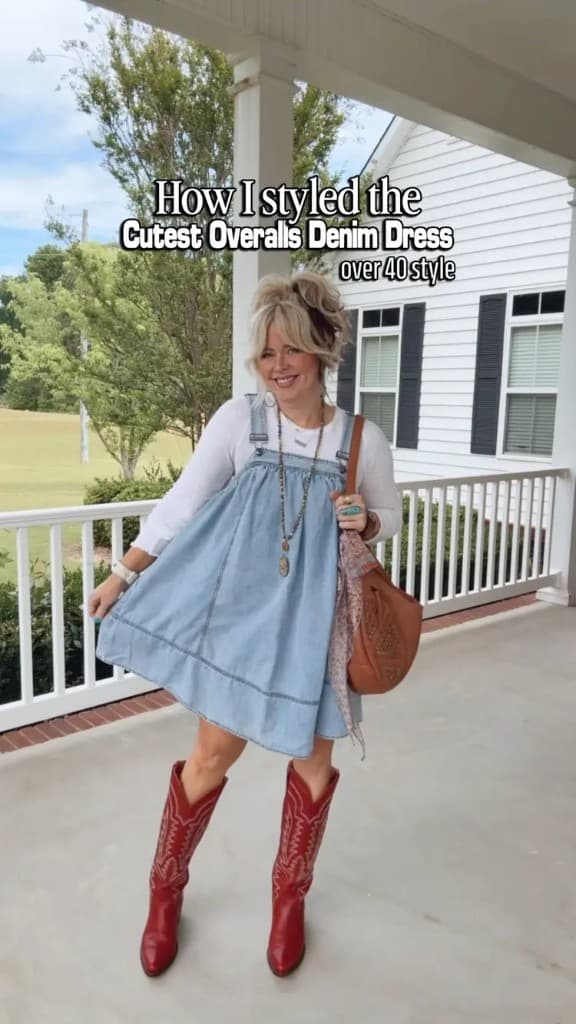
Preview a live storefront on Find creators
Social-media aware
cr8rloop reads where traffic came from — link tags, referrer, and platform context — and opens the storefront experience that matches.
Followers from Reels, Stories, or feed posts land on Home with Instagram-aligned featured content and Style grids weighted to what you publish on IG.
TikTok
TikTok traffic gets its own landing emphasis — the look they tapped through from your video, plus related posts surfaced for that platform instead of a one-size-fits-all page.
Facebook and ManyChat comment flows can route to the same platform-aware hub — specific post first, then Shop, LTK, or Drops on their terms.
Think of it as a dedicated content landing page for each social network — not a static link-in-bio list that ignores where the click originated.
The hub
Traffic arrives from a specific platform. cr8rloop opens the matching content experience, then routes to destinations you configure.
1 · Traffic in
Instagram, TikTok, Facebook, YouTube, Pinterest — cr8rloop detects the source and sets platform context for the visit.
2 · Platform landing
Home and Style show posts aligned with that network — featured look first, related catalog second. Shop and Drops appear when you have them configured.
3 · Shop anywhere
LTK, ShopMy, Amazon, Shopify, brand sites, Creator Drops — follower picks their path.
Works with what you use
All your traffic sources
DM & comment tools
LinkDM on GROW+ · ManyChat on PRO+
Storefront tabs
Not every creator shows every tab — Shop and Drops appear when configured and entitled.
Feed
Signed-in followers see posts from creators they follow. Guests discover creators on the platform home.
Home
A platform-aware content landing — hero, social chips, and the featured post that matches Instagram, TikTok, or Facebook traffic.
Style
Category and brand filters with a grid of posts aligned to the visitor's social platform — not one generic wall of links.
Shop
LTK widgets and boutique destinations — only shown when configured (capability-driven, not a dead tab).
Drops
Creator resale listings with inventory states. Appears when the creator has Drops entitlement and active listings.
Style grid with category + brand chips, inspiration cards, and platform CTAs — the commerce layer behind the content.
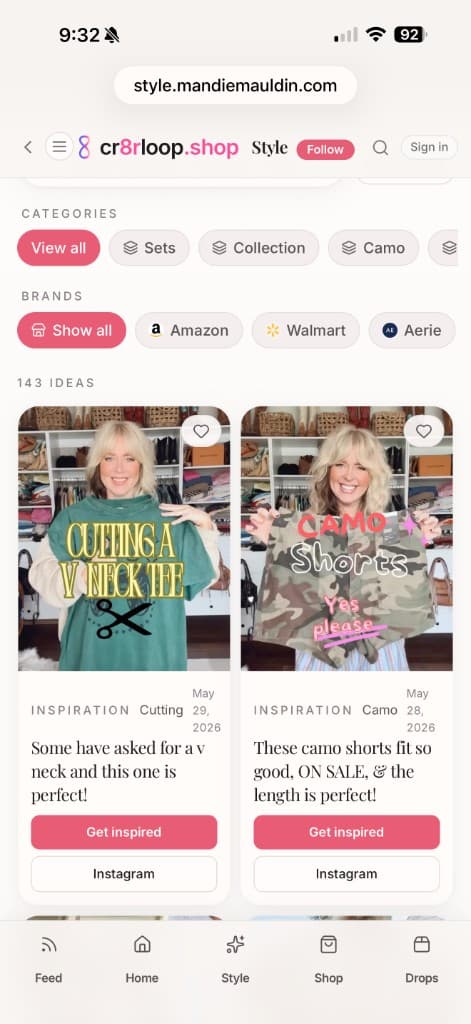
Creator workflow
Publish posts and reels to your cr8r storefront — Home and Style are always the hero.
cr8rloop detects Instagram, TikTok, or Facebook traffic and opens a platform-tuned landing — the post they saw, plus related content for that network.
See what's working, where traffic comes from, and what converts.
Platform
Organize posts and reels so followers see the right look first — not a wall of links.
Each social network gets its own content landing page — Instagram, TikTok, and Facebook traffic sees posts aligned with where they clicked from.
Content-first tabs — Shop and Drops appear when you configure them, not as a cluttered link list.
Sell closet pieces and exclusive items with checkout built for resale.
Track clicks, traffic sources, and what content drives results.
LinkDM comment-to-shop copy on GROW and above. ManyChat automations on PRO and ELITE.
Your hero, social chips, and storefront identity — not a generic link page.
Invite help in the studio on PRO and ELITE plans.
Stop sending followers to a list of links.
Send them to the content they came for.
No credit card required for START
Already following creators? Browse the directory